When a production system fails, the hardest part is often not the fix. The hardest part is knowing where to look.
That is the real value of observability. A service without observability feels like a black box. Requests go in, responses come out, and when something breaks we start guessing. With useful telemetry, that black box becomes closer to a glass box: we can see request paths, slow dependencies, errors, queueing, retries, model latency, token usage, and the exact step where a workflow fell apart.
OpenTelemetry, usually shortened to OTel, is the standard we should use when we want that visibility without wiring our application permanently to one vendor.
In this post, we will cover:
- what OTel actually is
- why it matters for TypeScript and Node.js services
- how we can add OTel to a TypeScript application
- how Langfuse uses OpenTelemetry for LLM observability
- what to watch out for before using this in production
What Is OpenTelemetry?
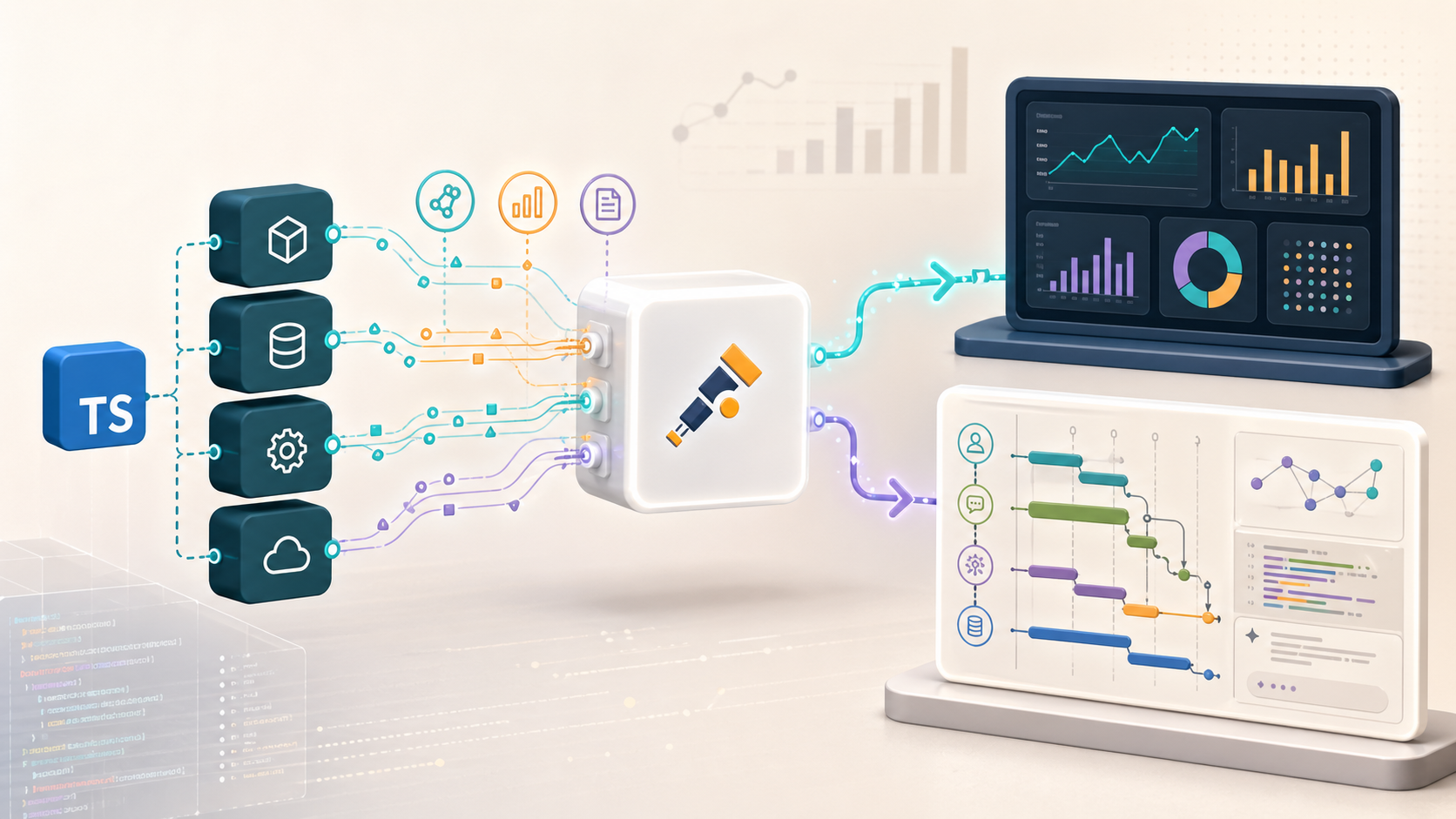
OpenTelemetry is a vendor-neutral observability framework for generating, collecting, processing, and exporting telemetry data.
The important words are:
- generating: your application emits telemetry
- collecting: telemetry is gathered from application code, libraries, runtimes, or infrastructure
- processing: telemetry can be batched, filtered, sampled, enriched, or transformed
- exporting: telemetry is sent to a backend such as Jaeger, Prometheus, Grafana, Datadog, Honeycomb, New Relic, Langfuse, or another system
OTel is not the database. It is not the dashboard. It is not the full observability product.
It is the standard instrumentation and telemetry pipeline between your application and the tool where you store, query, and visualize the data.
Let’s understand this with USB-C technology. Before a common standard, every device vendor had its own cable and port. Switching devices meant buying new accessories and learning new behaviors. OTel tries to solve the same kind of problem in observability. Instead of rewriting instrumentation every time you switch vendors, your application emits telemetry in a common shape.
That matters because instrumentation is expensive. If we add traces, attributes, metrics, and log correlation across dozens of services, we do not want to throw that work away just because the company changes its observability backend later.
The Three Main Telemetry Signals
OTel works with three familiar signals: traces, metrics, and logs.
Traces
A trace shows the path of one request or workflow through the system.
For example, a request to answer a user question might look like this:
POST /chat
  -> authenticate user
  -> retrieve documents
  -> call embedding model
  -> call vector database
  -> call LLM
  -> stream answer
Each step is usually represented as a span. A span has a name, start time, end time, attributes, events, status, and parent-child relationship.
For backend services, traces answer questions like:
- Which dependency made this request slow?
- Did the error happen in our service, the database, the queue, or an external API?
- How much time did we spend in retrieval before calling the model?
- Which user-facing route is creating the most expensive LLM calls?
Metrics
Metrics are measurements captured over time.
Common examples:
- request count
- request duration
- error rate
- queue depth
- memory usage
- CPU usage
- token usage
- model operation duration
Metrics are good for dashboards and alerts because they aggregate well. If we need to know whether p95 latency is rising or error rate crossed a threshold, metrics are the right signal.
Logs
Logs are timestamped records of events.
Logs are still useful, but they become much more useful when they are correlated with traces. A random log line saying timeout while calling provider is helpful. The same log line with a trace ID, span ID, service name, model name, and request route is much better.
As of the current OpenTelemetry JavaScript documentation, traces and metrics are stable in the JS implementation, while logs are still marked as development. That means we should start with traces first in a TypeScript service, then add metrics, and be more careful with logs depending on the maturity of the libraries we are using.
Why OTel Matters
There are two practical reasons we should care about OTel.
1. Vendor lock-in gets expensive
Many observability vendors have their own agents, SDKs, conventions, exporters, and dashboards. Those tools can be good, but the lock-in becomes painful when the instrumentation is vendor-specific.
If every service uses Vendor A’s custom SDK and we later move to Vendor B, the migration is not just a configuration change. It can become a code migration across many services.
OTel changes the shape of that decision.
The application emits OpenTelemetry data. Then we can export that data to:
- a local collector during development
- Jaeger for trace debugging
- Prometheus-compatible systems for metrics
- a commercial observability backend
- Langfuse for LLM traces
- multiple destinations at the same time through the Collector
The backend can change without rewriting the whole application instrumentation layer.
2. Instrumentation becomes shared language
Once a team agrees on OTel conventions, services start speaking a common observability language.
That means we can standardize names like:
service.namedeployment.environmenthttp.request.methodhttp.routedb.system.namegen_ai.operation.namegen_ai.request.model
This common vocabulary is boring in the best way. It makes dashboards, alerts, traces, and cross-service debugging less dependent on tribal knowledge.
The Main OTel Pieces
Before writing TypeScript, it helps to understand the moving parts.
API
The OTel API is what application code can call.
In TypeScript, that usually means imports from @opentelemetry/api, such as:
import { trace } from "@opentelemetry/api";
The API is intentionally small. Your business code can create spans or add attributes without knowing where the telemetry will eventually go.
SDK
The SDK is the implementation that records and exports telemetry.
In Node.js, @opentelemetry/sdk-node is the usual starting point. It wires together the tracer provider, exporters, resource detection, context propagation, and instrumentation libraries.
The key rule is simple:
Initialize the OTel SDK before importing the rest of your application.
If the app imports Express, pg, Redis, or HTTP clients before OTel starts, auto-instrumentation may miss hooks.
Instrumentation
Instrumentation is the code that creates telemetry.
There are two styles:
- auto-instrumentation: packages create spans for frameworks and libraries automatically
- manual instrumentation: you create spans around important business logic yourself
We can use both.
Auto-instrumentation gives us the basic HTTP, database, and dependency shape quickly. Manual instrumentation gives us the application-specific spans that actually explain the business workflow.
Exporter
An exporter sends telemetry somewhere.
In development, a console exporter is enough to prove that spans are being created.
In production, we usually want OTLP, the OpenTelemetry Protocol. The TypeScript service can export OTLP directly to a backend, or to an OpenTelemetry Collector.
Collector
The OpenTelemetry Collector is a separate process that receives, processes, and exports telemetry.
We should use a Collector once a system grows beyond a toy setup because it lets the application offload telemetry quickly. The Collector can then handle batching, retries, filtering, memory limits, and routing to one or more backends.
Using OTel in a TypeScript Node.js Service
Here is the minimal shape we can start with.
First install the core packages:
npm install @opentelemetry/api \
  @opentelemetry/sdk-node \
  @opentelemetry/auto-instrumentations-node \
  @opentelemetry/sdk-trace-node

npm install -D tsx
Create instrumentation.ts:
import { NodeSDK } from "@opentelemetry/sdk-node";
import { ConsoleSpanExporter } from "@opentelemetry/sdk-trace-node";
import { getNodeAutoInstrumentations } from "@opentelemetry/auto-instrumentations-node";

const sdk = new NodeSDK({
  traceExporter: new ConsoleSpanExporter(),
  instrumentations: [getNodeAutoInstrumentations()],
});

sdk.start();
Then run the application with instrumentation loaded first:
OTEL_SERVICE_NAME=checkout-api \
  npx tsx --import ./instrumentation.ts src/index.ts
For Node.js 20 and newer, the official OTel docs show this TypeScript --import pattern with tsx. If the compiled application runs as ESM, check the current OTel ESM loader guidance because module loading order matters.
With auto-instrumentation enabled, a framework like Express can start producing request spans without manually wrapping every route.
Adding Manual Spans
Auto-instrumentation tells us that a request hit /chat and called a database. It usually does not tell us the product-level story.
For that, we add manual spans around important workflow steps.
Example:
import { SpanStatusCode, trace } from "@opentelemetry/api";

const tracer = trace.getTracer("support-assistant");

type Answer = {
  text: string;
  inputTokens: number;
  outputTokens: number;
};

export async function answerQuestion(
  question: string,
  userTier: "free" | "pro",
): Promise<Answer> {
  return tracer.startActiveSpan("rag.answer-question", async (span) => {
    span.setAttributes({
      "app.user_tier": userTier,
      "app.workflow": "support_assistant",
    });

    try {
      const documents = await retrieveDocuments(question);
      span.setAttribute("app.retrieval.document_count", documents.length);

      const answer = await callModel(question, documents);
      span.setAttributes({
        "gen_ai.usage.input_tokens": answer.inputTokens,
        "gen_ai.usage.output_tokens": answer.outputTokens,
      });

      return answer;
    } catch (error) {
      span.recordException(error as Error);
      span.setStatus({
        code: SpanStatusCode.ERROR,
        message: error instanceof Error ? error.message : "Unknown error",
      });
      throw error;
    } finally {
      span.end();
    }
  });
}
This is where traces become useful.
We do not want a trace that only says:
POST /chat took 4.2s
We want a trace that says:
POST /chat took 4.2s
  -> retrieval took 120ms and returned 6 chunks
  -> reranking took 80ms
  -> model call took 3.8s
  -> output used 920 tokens
That is the difference between “the request is slow” and “the model call dominates the request, but retrieval is fine.”
Exporting with OTLP
Console output is only for development.
For a real service, we should export over OTLP:
npm install @opentelemetry/exporter-trace-otlp-proto
Then change instrumentation.ts:
import { NodeSDK } from "@opentelemetry/sdk-node";
import { getNodeAutoInstrumentations } from "@opentelemetry/auto-instrumentations-node";
import { OTLPTraceExporter } from "@opentelemetry/exporter-trace-otlp-proto";

const sdk = new NodeSDK({
  traceExporter: new OTLPTraceExporter(),
  instrumentations: [getNodeAutoInstrumentations()],
});

sdk.start();
Configure the destination with environment variables:
export OTEL_SERVICE_NAME=checkout-api
export OTEL_EXPORTER_OTLP_ENDPOINT=http://localhost:4318
The usual local development pattern is:
TypeScript service -> OTLP -> OpenTelemetry Collector -> backend
The production pattern is similar, but the Collector usually runs as a sidecar, daemon, gateway, or managed service.
What We Watch For in Production
Adding OTel is not just “install a package and call it done.” A few details matter.
Start instrumentation before app code
This is the most common Node.js mistake.
The instrumentation file must run before the app imports the libraries you want to instrument.
Set a useful service name
Always set OTEL_SERVICE_NAME.
Without it, traces from different services become painful to separate.
Avoid high-cardinality chaos
Attributes like user.id, order.id, request.id, and full URLs can create too many unique values if they end up in metrics or aggregation keys.
Use them deliberately. They can be useful on traces, but dangerous in metrics.
Do not leak secrets or PII
Telemetry often outlives the request.
Do not casually record:
- access tokens
- API keys
- raw authorization headers
- passwords
- full prompts with private user data
- full model outputs containing sensitive content
For LLM systems especially, prompt and response capture needs a policy. The OpenTelemetry GenAI semantic conventions explicitly treat model inputs, outputs, and system instructions as sensitive or potentially large data.
Use the Collector when the system grows
Direct export is fine to start.
For production, a Collector gives you a better place to batch, retry, redact, filter, and route telemetry. It also keeps observability backend changes away from application deployment as much as possible.
Where Langfuse Fits
Langfuse is an observability platform for LLM applications.
Traditional observability tells us:
- which endpoint is slow
- which dependency failed
- how often errors happen
- what the request path looked like
LLM observability needs those things, but it also needs more domain-specific data:
- which model was called
- what prompt or messages were used
- what the model returned
- token usage
- cost
- latency per generation
- retrieval steps
- tool calls
- sessions and users
- evaluation scores
- prompt versions
That is where Langfuse is useful. It treats an LLM application workflow as a trace made of observations: normal spans, model generations, tool calls, retrieval steps, and events.
How Langfuse Uses OpenTelemetry
The current Langfuse SDK docs are explicit: the Langfuse SDKs are built on top of OpenTelemetry.
That gives Langfuse a few useful properties:
- nested spans stay connected through OTel context propagation
- third-party OTel instrumentation can appear inside Langfuse traces
- trace attributes like user, session, metadata, version, and tags can be propagated
- OTel spans can be mapped into Langfuse observations
- GenAI conventions can describe model calls in a more standard way
The mapping is roughly:
| OpenTelemetry concept | Langfuse concept |
|---|---|
| OTel trace | Langfuse trace |
| OTel span | Langfuse observation |
| OTel span for LLM call | Langfuse generation |
| OTel attributes | Langfuse metadata, model data, usage, cost, tags, user/session fields |
This is a good design choice. Langfuse does not need to invent a completely separate tracing universe. It can build the LLM-specific experience on top of the broader telemetry ecosystem.
Langfuse in TypeScript
For a TypeScript application, install the Langfuse tracing packages:
npm install @langfuse/tracing @langfuse/otel @opentelemetry/sdk-node
Set credentials:
export LANGFUSE_SECRET_KEY=sk-lf-...
export LANGFUSE_PUBLIC_KEY=pk-lf-...
export LANGFUSE_BASE_URL=https://cloud.langfuse.com
Create instrumentation.ts:
import { NodeSDK } from "@opentelemetry/sdk-node";
import { LangfuseSpanProcessor } from "@langfuse/otel";

export const sdk = new NodeSDK({
  spanProcessors: [new LangfuseSpanProcessor()],
});

sdk.start();
Then create observations in application code:
import { sdk } from "./instrumentation";
import {
  propagateAttributes,
  startActiveObservation,
  startObservation,
} from "@langfuse/tracing";

async function answerWithRag(
  userId: string,
  sessionId: string,
  question: string,
) {
  await startActiveObservation("rag-answer", async (root) => {
    root.update({ input: { question } });

    await propagateAttributes(
      {
        userId,
        sessionId,
        metadata: { feature: "support_chat" },
        traceName: "rag-answer",
      },
      async () => {
        const retrieval = startObservation("retrieve-documents", {
          input: { question },
        });

        const documents = await retrieveDocuments(question);
        retrieval.update({
          output: { documentCount: documents.length },
        }).end();

        const generation = startObservation(
          "llm-call",
          {
            model: "gpt-4o-mini",
            input: [{ role: "user", content: question }],
          },
          { asType: "generation" },
        );

        const answer = await callModel(question, documents);

        generation.update({
          output: { content: answer.text },
          usageDetails: {
            input: answer.inputTokens,
            output: answer.outputTokens,
          },
        }).end();

        root.update({ output: { answer: answer.text } });
      },
    );
  });
}

process.on("SIGTERM", () => {
  sdk.shutdown().finally(() => process.exit(0));
});
For short-lived scripts, call sdk.shutdown() before exit so buffered spans are flushed.
If we also want ordinary backend spans in the same trace tree, we can add OTel auto-instrumentation too:
npm install @opentelemetry/auto-instrumentations-node
import { NodeSDK } from "@opentelemetry/sdk-node";
import { getNodeAutoInstrumentations } from "@opentelemetry/auto-instrumentations-node";
import { LangfuseSpanProcessor } from "@langfuse/otel";

export const sdk = new NodeSDK({
  spanProcessors: [new LangfuseSpanProcessor()],
  instrumentations: [getNodeAutoInstrumentations()],
});

sdk.start();
Now a trace can contain both:
- ordinary service spans such as HTTP, database, Redis, and fetch calls
- Langfuse-specific observations such as generations, tool calls, retrieval steps, user/session metadata, token usage, and model outputs
Isolating Langfuse From the Global OTel Provider
The NodeSDK setup is the right default for most TypeScript applications.
But there is another useful pattern: use a separate tracer provider just for Langfuse.
This matters when the application already has an OpenTelemetry setup, or when another observability tool owns the global OTel provider. In that case, we may not want Langfuse to become part of the app-wide tracing pipeline. We may only want Langfuse to receive the LLM-specific spans that we create through the Langfuse SDK.
The public Langfuse docs call this an isolated TracerProvider setup.
Install the lower-level trace SDK:
npm install @opentelemetry/sdk-trace-node
Then configure Langfuse with its own provider:
import { NodeTracerProvider } from "@opentelemetry/sdk-trace-node";
import { LangfuseSpanProcessor } from "@langfuse/otel";
import { setLangfuseTracerProvider } from "@langfuse/tracing";

const langfuseSpanProcessor = new LangfuseSpanProcessor();

const langfuseTracerProvider = new NodeTracerProvider({
  spanProcessors: [langfuseSpanProcessor],
});

setLangfuseTracerProvider(langfuseTracerProvider);
The important difference is that we do not register this provider as the global OpenTelemetry provider.
That gives us isolation:
- Langfuse spans go to Langfuse
- unrelated auto-instrumented service spans do not automatically go to Langfuse
- another observability backend can keep using the global OTel setup
- sampling, filtering, and export behavior can be different for LLM traces
This pattern is useful when we want Langfuse to focus on LLM workflows instead of becoming the sink for every HTTP, database, Redis, or framework span in the process.
There is a tradeoff. Isolated tracer providers still share OTel context, so mixed trace trees can become incomplete if spans from different providers parent each other. If the goal is one complete end-to-end trace tree across the whole service, use NodeSDK. If the goal is a clean Langfuse-only LLM trace pipeline, an isolated provider can be a better fit.
Sending Existing OTel Traces to Langfuse
There are two ways to think about Langfuse integration.
The first path is the Langfuse TypeScript SDK:
TypeScript app -> @langfuse/tracing -> OTel SDK -> LangfuseSpanProcessor -> Langfuse
The second path is raw OpenTelemetry export:
Any OTel app -> OTLP HTTP -> Langfuse OTel endpoint
The direct OTLP path is useful if:
- the app is not written in Python or TypeScript
- the app already has OTel instrumentation
- the team uses OpenLLMetry, OpenLIT, or another GenAI instrumentation library
- traces are routed through the OpenTelemetry Collector
Langfuse documents this endpoint:
AUTH_STRING=$(echo -n "$LANGFUSE_PUBLIC_KEY:$LANGFUSE_SECRET_KEY" | base64)

export OTEL_EXPORTER_OTLP_TRACES_ENDPOINT=https://cloud.langfuse.com/api/public/otel/v1/traces
export OTEL_EXPORTER_OTLP_HEADERS="Authorization=Basic ${AUTH_STRING},x-langfuse-ingestion-version=4"
One important detail: Langfuse currently supports OTLP over HTTP with HTTP/JSON and HTTP/protobuf; gRPC export is not supported yet.
If the system already uses an OpenTelemetry Collector, we can usually export from services to the Collector, then have the Collector forward selected traces to Langfuse.
That shape gives more control:
services -> Collector -> normal observability backend
                    -> Langfuse for LLM traces
Be careful with filtering. Langfuse needs enough of the trace to build the correct trace tree, including the root span.
OTel GenAI Semantic Conventions
OpenTelemetry now has semantic conventions for generative AI systems, including model spans, agent spans, events, and metrics.
Some useful attributes include:
gen_ai.operation.namegen_ai.provider.namegen_ai.request.modelgen_ai.response.modelgen_ai.usage.input_tokensgen_ai.usage.output_tokens
This is exactly the direction LLM observability should move in. Model calls should not be mysterious blobs inside a generic span. They should expose model, provider, operation type, latency, token usage, error type, and enough metadata to debug behavior.
But we should still treat the GenAI conventions carefully because the official spec marks them as development. That does not mean “do not use them.” It means avoid building brittle assumptions around every attribute name until the conventions settle.
The privacy point matters even more. Inputs, outputs, system instructions, and tool definitions can contain sensitive data and can be large. In production, we should make capture explicit, filtered, and configurable.
How We Can Design This in a Real TypeScript LLM App
For a serious TypeScript LLM application, we can separate the layers like this:
OpenTelemetry baseline
Use the OTel Node SDK, set
OTEL_SERVICE_NAME, enable auto-instrumentation, and export to the Collector.Business workflow spans
Add manual spans around important steps: authentication, retrieval, reranking, tool execution, model calls, output parsing, and safety checks.
Langfuse for LLM-specific traces
Use
@langfuse/tracingfor generations, tool calls, prompt versions, sessions, users, costs, and evaluations.Collector routing
Send general traces and metrics to the main observability backend. Send LLM traces to Langfuse. Keep redaction and filtering policies close to the Collector or SDK configuration.
Privacy controls
Decide what prompt and response data can be stored. Do not let developers accidentally log private user content because it made debugging easier during development.
The end state should let us answer both kinds of questions:
- System question: Why is
/chatp95 latency worse after the deploy? - LLM question: Which model call, prompt version, retrieval step, or tool call caused this bad answer?
That is why OTel and Langfuse fit together well. OTel gives the standard telemetry substrate. Langfuse gives the LLM-specific interpretation.
Final Thought
OpenTelemetry is not exciting because it creates another dashboard. It is useful because it gives the application a standard way to describe what happened.
For TypeScript services, the practical path is:
- initialize the OTel SDK before app code
- use auto-instrumentation for common libraries
- add manual spans for business workflows
- export with OTLP
- use a Collector as the system grows
- keep sensitive data out of telemetry by default
For LLM apps, Langfuse builds on the same foundation. It turns OTel spans into LLM-aware traces: generations, observations, sessions, users, token usage, cost, tool calls, and evaluation context.
That is what makes this combination useful. OTel keeps the telemetry standard. Langfuse makes the LLM workflow understandable.